




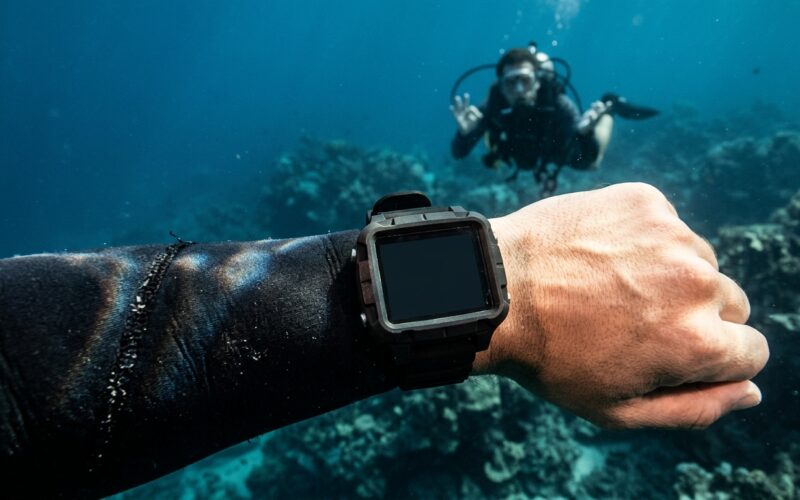
Every diver remembers the first time they stared at a frozen screen on their wrist. Maybe it happened on the boat ride out, maybe at 22 meters next to a drop-off. Either way, dive computer failures have a way of turning a confident diver into a very quiet one, very quickly. The good news is that most of these failures are predictable, preventable, and survivable if you understand how your tech works and what to do when it does not.
This guide is written for anyone who straps a computer to their wrist before a descent, whether you are a weekend reef diver, a working instructor, or a tech diver running multiple deco gases. We will walk through why these devices fail, how to prevent most issues before they start, how to respond calmly if something goes wrong on the surface or underwater, and how to recover and get back in the water with confidence.
Let’s take a look at what actually goes wrong, and what to do about it.
Why Dive Computers Fail in the First Place
Dive computers are small, pressure rated, sensor packed devices that live a hard life. They get knocked against tanks, soaked in salt water, baked in the sun on boat decks, and occasionally dropped on concrete pool decks. For all that abuse, modern units are remarkably reliable. But reliable is not the same as infallible.
Understanding the common failure modes helps you spot warning signs early and reduces the chance of a surprise mid dive.
Battery Issues
The single most common cause of a dead computer is a flat or failing battery. Some dive computers use user-replaceable coin-cell batteries, while others have rechargeable lithium batteries sealed inside the housing. Each option has its advantages and disadvantages.
Coin-cell batteries are easy to replace, and carrying spares on the boat means you can quickly replace a depleted battery when needed. However, to minimise the risk of flooding, it is best to have the battery replaced by an authorised service centre with the equipment to pressure-test the computer afterwards. This is especially important if the computer is still under warranty.
Rechargeable batteries offer the convenience of charging your computer after a dive or before your next outing. However, you need to remember to keep the battery charged, and its capacity may degrade over time. After a few years of use, a computer that once lasted four dives on a full charge might only last one or two dives before needing to be recharged.
Cold water accelerates battery drain dramatically. A computer that lasts a week in Bonaire might give you two days in Scotland.
Flooded Housings and O-Ring Failures
Water intrusion is the second most common killer. The culprit is almost always a compromised o-ring: hair caught in the seal during a battery change, grit from a sandy entry, or old rubber that has lost elasticity. Once salt water touches the circuit board, the damage is usually permanent.
If you ever see condensation or droplets inside the screen, treat the computer as dead. Do not dive with it. If possible, turn it off and/or remove the battery until you can get it seen by a professional technician.
Sensor and Electronics Faults
Pressure sensors, temperature sensors, and compasses can drift or fail outright. You might see depth readings that make no sense, a dive that logs at 2 meters when you were clearly at 20, or a compass that spins lazily regardless of your heading. These are often related to firmware glitches, water in a port, or physical shock. If this happens with yours, contact your nearest service center and get a technician to take a look, there might be an easy fix.
Software and Firmware Glitches
Modern computers run software, and software has bugs. Freezes, failed syncs, incorrect gas switches on multi gas units, and unexpected lockouts after violating a ceiling all happen. Most manufacturers release firmware updates to fix these. If you have not updated your computer in a year, you are probably running outdated code.
Physical Damage
Cracked screens, broken buttons, and sheared off straps that let the unit disappear into the blue are all surprisingly common. Travel is especially rough on dive electronics. We recommend carrying your dive computer in a protective case in your hand luggage rather than packing it in checked luggage, where it is more likely to be knocked, dropped or damaged during transit.Preventing Problems Before They Start
Most dive computer failures are preventable with a bit of discipline. None of this is glamorous, but it is the difference between a smooth trip and a frustrating one.
Service Your Computer on Schedule
Follow the manufacturer’s recommended service interval. For most units this means a battery and o-ring service every one to two years, even if the battery still shows full. Pressure sensor calibration may be included. If your computer has not been serviced since you bought it in 2019, now is the time.
Rinse, Dry, and Store Properly
After every dive day, soak the computer in fresh water for at least 15 minutes, press the buttons underwater to flush salt from around them, then dry it in the shade. Avoid direct sun, which cooks seals and screens. Store it away from heat and never leave it in a hot car. These basics tie into broader habits we cover in our guide to maintaining dive gear, and they will add years to any device on your wrist.
Check Battery Status Before Every Trip
Before you fly, before you drive to the quarry, before you board the liveaboard, check the battery indicator. If it is anything less than full, swap or charge it. Carry spare batteries if your model uses them, along with the correct tool to open the housing.
Keep Firmware Updated
Plug your computer into the manufacturer’s app or desktop software every few months. Install updates. Read the release notes. It takes ten minutes and can save you from a known bug at exactly the wrong moment.
Inspect Before Each Dive
A 30 second visual check before kitting up catches a lot of problems. Look at the screen for condensation or cracks. Check the strap and pins. Press the buttons to confirm they respond. Confirm the gas settings and dive mode match the dive you are about to do. Nitrox divers, make sure you have entered the correct mixture for your dive.
Always, Always Carry a Backup
If there is one habit that separates divers who have been bitten by dive computer failures from those who shrug them off, it is carrying a backup. This is non negotiable for technical and professional divers, and it is strongly recommended for every recreational diver who takes diving seriously.
Options for a Backup
- A second dive computer, worn on the other wrist or clipped to a BCD D-ring. Many divers use their old computer as the backup after upgrading.
- A bottom timer paired with pre planned tables. Simpler, cheaper, and extremely reliable.
- Analogue depth gauge and waterproof watch, old school but functional for a conservative, planned dive.
- Your buddy’s computer, which should only be considered a back up if you have done the same dive profile and the same number of dives during the last 24 hours. Use your buddy’s dive computer to help you safely end the dive and complete the necessary safety stop or decompression stop at the correct depth.
For tech divers, backups are already standard operating procedure. For recreational divers, think of it this way: a second computer costs less than a single lost dive day on a liveaboard.
Setting Up Your Backup Correctly
A backup is only useful if it is actually ready to dive. That means it should have a fresh battery, be set to the same gas mix as your primary, and be turned on at the start of the dive so it tracks your profile from the beginning. A backup that activates only when you remember to press a button at 20 meters is not tracking the full dive and will give you an incomplete picture.
What to Do if Your Computer Fails Before the Dive
You are on the boat, kitted up, and your screen is blank. Or it will not switch into dive mode. Or the battery warning is flashing red. What now?
Do Not Rush
The pressure to splash with the group is real, especially on a drift dive or when the current is picking up. Resist it. A missed dive is annoying. A dive done without a working computer and without a proper backup plan is a different category of problem entirely. Discuss with your dive guide, instructor or dive buddy a plan to be able to execute the dive safely, if possible. Otherwise, cancel the dive and try another day.
Try the Basic Fixes
- Press and hold the power button for 10 to 20 seconds to force a restart.
- Check if the screen is simply in sleep mode and wakes with contact to water or a button press.
- Open the battery compartment carefully if the design allows, and reseat the battery with clean dry hands.
- Swap the battery if you have a spare and the environment is dry and clean enough to do so.
Make an Honest Decision
If the computer still will not work and you have a fully functional backup that has been tracking surface interval and residual nitrogen, you can usually proceed, treating the backup as your primary. If you do not have a backup, the responsible choice is to sit the dive out, or to join the dive as a strict follower of a buddy who agrees in advance, staying well within recreational no deco limits and well above any ceilings. If any of that feels sketchy, call the dive. These are the kinds of judgement calls we touch on in our overview of essential diving rules.
What to Do if Your Computer Fails Underwater
This is the scenario divers worry about most, and it is the one where calm beats speed every single time. Panic is far more dangerous than a dead screen.
Step One: Signal Your Buddy
Get your buddy’s attention immediately. Use the standard “something is wrong” signal, then point to your computer. A good buddy will close the distance, confirm the problem, and switch mentally into shared decision mode. This is one of many reasons that being a strong buddy matters, something we explore in our guide to becoming an excellent dive buddy.
Step Two: Switch to Your Backup
If you have a backup computer that has been running from the start of the dive, you now have accurate depth, time, and decompression information. Carry on with the dive conservatively, or begin a normal ascent, depending on where you are in the profile.
Step Three: If You Have No Backup, Ascend
No backup means no reliable dive data. If your dive computer fails and you have no backup, the safest default is to end the dive. Signal your buddy and begin a slow, controlled ascent at no more than 9 metres per minute. Perform a conservative safety stop at 5 metres for at least 3 minutes, extending it to 5 minutes if your buddy’s computer or the dive profile suggests a higher nitrogen-loading concern.
Step Four: Use Your Buddy’s Computer as a Reference
If you have been diving the same profile, your buddy’s computer gives you a reasonable, if not perfect, picture of your nitrogen load. Stay close, match their ascent rate, and follow their safety stop. This is a contingency plan to end the dive safely and return to your planned ascent point if needed. It is not a fallback strategy for continuing the dive for another 40 minutes or until your air supply runs low. Do not use it as an excuse to continue a planned 40 minute dive.
Step Five: Complete the Required Surface Interval
Once up, assume you have significant residual nitrogen and extend your surface interval accordingly. Many agencies recommend a minimum of 24 hours out of the water after a computer failure during a dive, especially if you were anywhere near no deco limits. For repetitive or multi day diving, this is the safest default.
When Things Go Beyond a Simple Failure
Occasionally a computer failure overlaps with another issue: a missed safety stop due to an unexpected ascent, a buddy separation, or symptoms that develop afterwards. This is where good planning and proper coverage become more than paperwork.
If you ever notice unusual fatigue, joint pain, skin rashes, or neurological symptoms after a dive where your computer failed, treat it seriously. Contact a dive medical hotline, hydrate, breathe oxygen if available, and get assessed. Our members have access to a 24/7 emergency hotline and worldwide evacuation support, which is one of the reasons we encourage every active diver to look at our coverage options before travelling. We built our membership around the reality that gear fails, plans change, and divers deserve support when the unexpected happens. You can read a real example in this member story, and more about readiness in our emergency preparedness guide.
Travelling With Dive Computers
Travel adds its own layer of risk. Pressure changes in cargo holds, rough handling, and extreme temperatures all take a toll.
Carry On, Always
Your computer, like your mask and regulator, belongs in your carry on bag. Checked luggage is where expensive electronics go to be dropped from waist height onto concrete floors. If the airline forces you to check in your hand luggage, remove your computer and keep it on your person, or if it is a larger more uncomfortable computer, ensure it fits into your small carry-on bag.
Protect It in Transit
A padded pouch, a hard case, or even a rolled up t-shirt inside your bag will absorb shocks. Keep the strap buckled around something soft so the buttons are not pressed accidentally for hours, which can drain the battery.
Allow for Acclimatisation
If your computer has been in a freezing cargo hold or a hot car, let it reach ambient temperature before diving. Thermal shock can cause condensation inside the housing or temporary sensor errors.
Choosing a Reliable Computer in the First Place
If you are shopping for a new or replacement unit, reliability should sit alongside features in your decision.
- User replaceable batteries are a major plus for travel and remote diving. A rechargeable unit is useless on a liveaboard with limited outlets.
- Clear, readable screens matter more than fancy color graphics. You need to read depth and no deco time in gloomy water with a flooded mask.
- A proven algorithm and a reputable manufacturer with real customer support beat clever marketing every time.
- Firmware update support should still be active for the model you choose. That’s why choosing an established, reputable brand often makes more sense than opting for a flashy new dive computer from an unknown manufacturer that may prove to be a passing trend.
Ask your local dive center what they repair most often, and what they rarely see on their service bench. That is more honest market research than any review site.
Packing Tips and Pro Tips
- Pack a small service kit: spare batteries, correct opening tool, spare o-rings, and silicone grease approved by your manufacturer.
- Keep a laminated dive table in your save-a-dive kit. It costs nothing, adds no weight, and could make all the difference.
- Write your maximum planned depth and time on a slate before every dive. If the tech dies, you still know the plan.
- Log serial numbers and purchase dates for your dive electronics. You will want them for warranty claims and for any membership support requests.
- Before travelling to a remote dive destination, test all your equipment on a local shakedown dive. It’s far better to discover and fix problems at home than to encounter them on the first day of a once-in-a-lifetime expedition.
Conclusion
Dive computer failures are a fact of life for anyone who dives often enough and long enough. They do not have to end your dive trip, your dive day, or your dive. With a serviced computer, a working backup, a calm buddy, and a bit of planning, almost every failure becomes a minor story told over dinner rather than a serious incident.
Take care of your tech, respect its limits, and build the habits now that will serve you when something eventually goes sideways. We are proud to support divers of every stripe, recreational, technical, and professional, with coverage that keeps a bad gear day from becoming a bad trip. Need coverage for your upcoming trip? Get covered here.
Happy diving, and may your next adventure be your best one yet!
Summary
Dive computer failures usually come down to flat batteries, flooded housings, sensor faults, or firmware glitches, and most are preventable with regular service, rinsing, and firmware updates. If your computer fails before a dive, try a restart or battery swap, otherwise sit it out or use a prepared backup. If it fails underwater, signal your buddy, switch to a backup, or begin a slow ascent with a conservative safety stop and extended surface interval. At DiveAssure we back divers worldwide with coverage and 24/7 support, so tech hiccups should never have to end your trip.